
- Site menu:
- Latest Discussions
- Latest Newswire
- Archives
- Submit Story
- Story HOWTO
- Syndicate
- E-mail Alerts

Awesome Ubuntu Multitouch Demo in Dell Tablet
|
|
|
Comments (2)
This isn't touch, but I wasn't at all enthused by the 10.10 version of the Netbook desktop, so I moved things around on a standard ubuntu desktop, and added the DockBarX applet to the standard gnome panel and I get this, which I find quite useful
http://lxer.com/pub/files/tracyanne/Screensho1t.resized.png
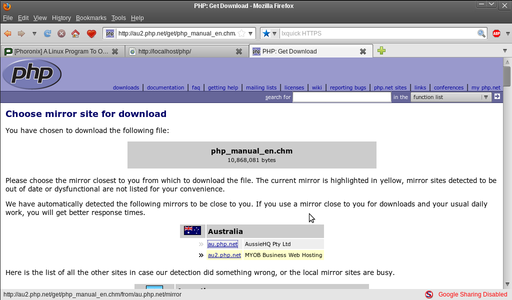
This is what the desktop looks like when the panel is not in use.
http://lxer.com/pub/files/tracyanne/Screenshot2.resized.png
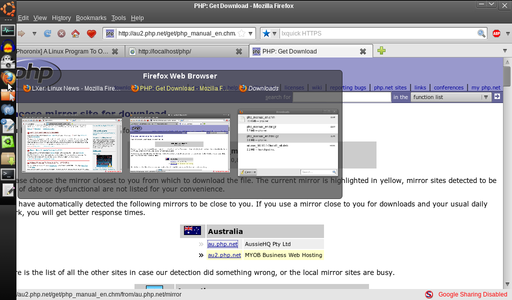
Unlike the dock panel on the 10.10 netbook desktop, which seems to have a cartoonish text bubble, the DockBarX applet has multiple previews, if you have multiple windows or instances of an application open, and because of this, and the fact that compiz only has a single preview, I've replace the GNOME Window List applet on my main desktop panel with a DockbarX applet. It looks like this.
http://lxer.com/pub/files/tracyanne/dockbarxScreenshot.resiz...
One of the really nice things is I can have the various instances and Windows on different virtual desktops, and clicking on the preview will navigate to that desktop.
http://lxer.com/pub/files/tracyanne/Screensho1t.resized.png
This is what the desktop looks like when the panel is not in use.
http://lxer.com/pub/files/tracyanne/Screenshot2.resized.png
Unlike the dock panel on the 10.10 netbook desktop, which seems to have a cartoonish text bubble, the DockBarX applet has multiple previews, if you have multiple windows or instances of an application open, and because of this, and the fact that compiz only has a single preview, I've replace the GNOME Window List applet on my main desktop panel with a DockbarX applet. It looks like this.
http://lxer.com/pub/files/tracyanne/dockbarxScreenshot.resiz...

One of the really nice things is I can have the various instances and Windows on different virtual desktops, and clicking on the preview will navigate to that desktop.
Post a comment
A free account is needed to post. Write your comment here first: your text is kept in this browser while you sign up or log in, and is waiting for you when you come back.
Your message:Markdown: **bold**, *italic*, [text](https://link), - lists, > quotes, $x^2$ for math. Formatting help
Sign up and post (it is free) or Log in and post
It also gives me more screen real estate back than their solution. Plus, with Compiz, it looks & functions way better. I use it at work, for taking notes & preparing sales presentations & forms. The new Gnome icon bar steals screen space & looks cludgy...